
Published October 17, 2026 at 10:02 AM EDT
CADlingo 2.0 introduces multi-part AI CAD modeling with STEP and STL export, enabling users to generate assemblies directly from text or images.
AI-Driven CAD Tool Now Supports Multi-Part Models
The tool operates entirely in the browser, eliminating the need for local software installation. Users can generate, inspect, and refine models without downloading any applications. CADlingo offers two export formats: STEP for further CAD editing and STL for 3D printing. This workflow is intended to streamline the transition from concept to physical prototype. By allowing users to work entirely online, the tool reduces the barriers to entry for those who may not have access to traditional CAD software or the technical expertise required to install and manage it.
CADlingo uses parametric modeling, which means that dimensions and features remain editable after generation. This is a key difference from many AI tools that produce fixed triangle meshes. Parametric models allow users to adjust measurements without manually editing geometry, which is especially useful for functional parts requiring precise tolerances. The parametric approach ensures that changes can be made efficiently, without the need to start from scratch, making the design process more dynamic and responsive to user needs.
Browser-Based Workflow for Design and Export
The multi-part modeling feature was introduced in version 2.0, which is currently in beta. The update extends the original text-to-model generation to more complex assemblies, such as a bladed rotating disk or a bearing assembly. Users can describe their design intent, including dimensions and constraints, and the tool generates a model that reflects those specifications. This capability is particularly valuable for users who need to create assemblies that require precise alignment and interaction between components.
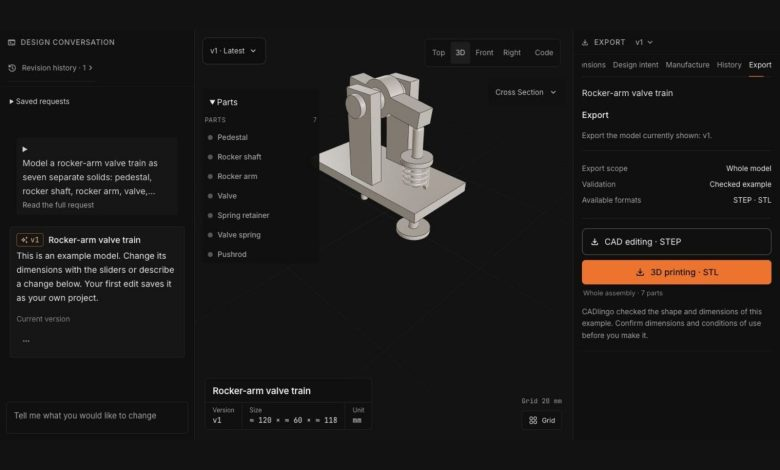
CADlingo’s interface allows users to refine models through a chat-like interaction. They can adjust parameters, restore previous versions, or request clarifications if the initial output does not match their expectations. This iterative process is designed to improve accuracy and reduce the need for manual CAD work. The chat interface makes it easier for users to communicate their design requirements and make adjustments in real time, enhancing the overall user experience.
The tool is aimed at makers, engineers, product planners, and founders who need to rapidly prototype physical products. It supports both free and paid plans, with STEP export available only on eligible paid subscriptions. This suggests that the tool is positioned as a utility for users who require high-quality CAD files for further development or manufacturing. The availability of free STL export makes it accessible to hobbyists and casual users, while the paid plans cater to professionals who need more advanced features.
Parametric Modeling Offers Greater Flexibility
CADlingo’s parametric approach ensures that models remain adaptable. Users can modify dimensions, such as bore sizes or gear ratios, without losing the integrity of the design. This is particularly beneficial for functional parts where small changes can significantly impact performance or fit. The ability to make precise adjustments without compromising the overall structure of the model is a major advantage for users working on complex mechanical systems.
The tool’s ability to generate assemblies from natural language descriptions reduces the need for traditional CAD software. This could be especially useful for users who lack advanced CAD skills but still need to create multi-part designs. However, the accuracy of the output depends on the clarity of the input and the tool’s ability to interpret complex specifications. Users must provide detailed and precise descriptions to ensure that the generated models meet their expectations.
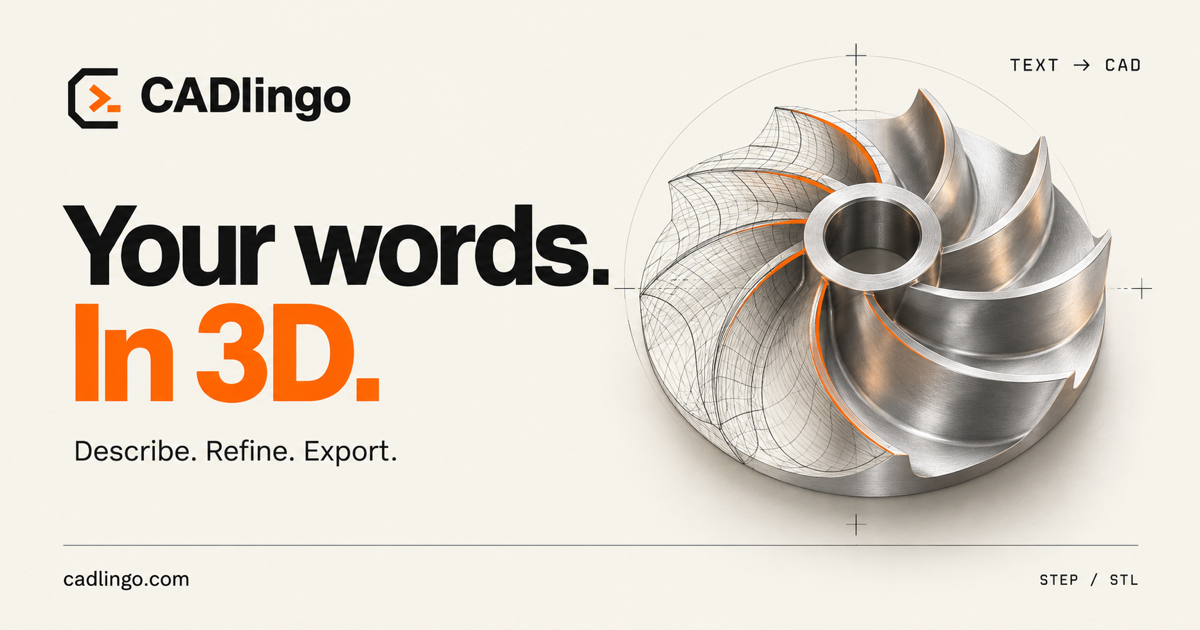
Examples of generated models include mechanical components like bevel gears, castle nuts, and swivel casters. These demonstrate the tool’s capacity to handle intricate geometries and assembly requirements. The detailed text prompts used in these examples suggest that the tool is designed for users who can provide precise design instructions. The examples also highlight the tool’s potential for creating complex assemblies that would otherwise require significant time and expertise to produce.
Target Audience and Use Cases for CADlingo 2.0
The tool’s reliance on natural language input means that the quality of the output is closely tied to the clarity of the user’s description. Ambiguous or incomplete prompts may result in models that require further refinement. This highlights the importance of clear communication when using AI-driven design tools. Users must be specific and detailed in their descriptions to ensure that the generated models are accurate and functional.
CADlingo’s multi-part modeling feature is most relevant to users working on mechanical systems or complex assemblies. It provides a way to generate and export individual components without the need for traditional CAD software. This could be particularly useful for small workshops or independent makers looking to streamline their design process. The ability to export individual parts also aligns with the practical needs of 3D printing, where assemblies are often printed separately and then assembled.
While CADlingo 2.0 offers new capabilities, it is still in beta, which suggests that some features may be incomplete or subject to change. Users should evaluate the tool’s output carefully before relying on it for critical design work. The tool’s long-term success will depend on its ability to consistently produce accurate and reliable multi-part models. As the tool evolves, it has the potential to become a valuable resource for a wide range of users in the design and manufacturing industries.
Log in to leave a reply. Every comment is moderated before it appears publicly.